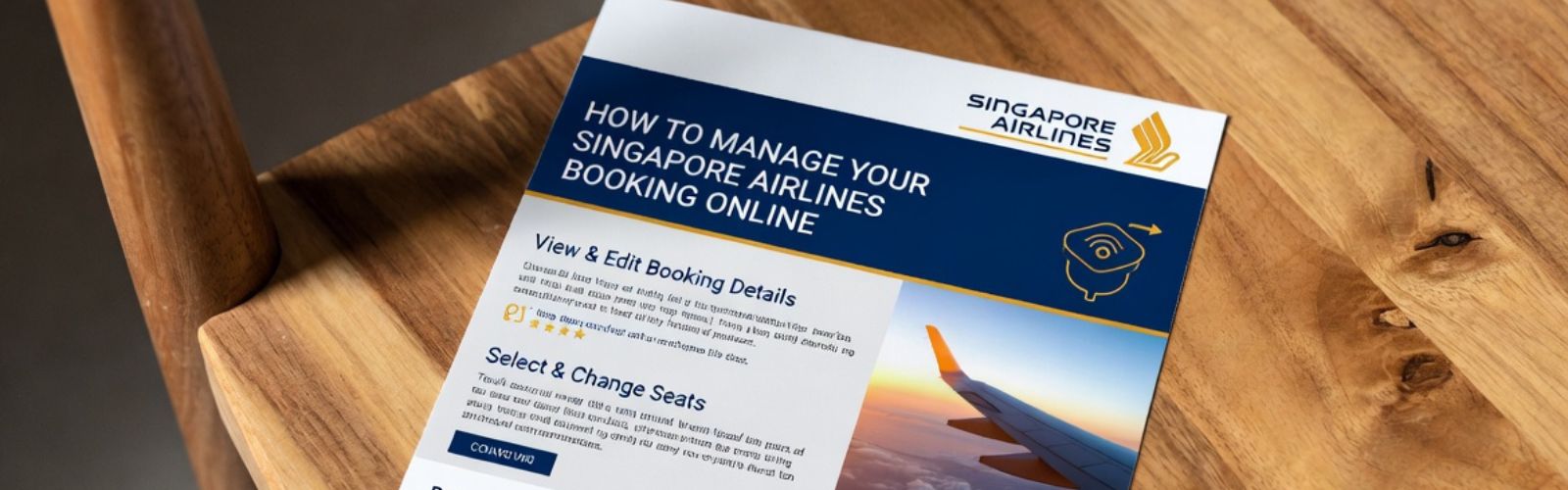
Blog detail banner

Last Updated : December 8, 2025

How to Manage Your Singapore Airlines Booking Online: Modify, Upgrade & More

Singapore Airlines Premium Economy offers extra legroom, wider seats, upgraded meals, more baggage, and priority boarding—perfect for long-haul comfort seekers.

Have you booked your ticket with one of the world's premier airlines? Then congratulations! But the journey doesn't start at the airport; it starts the moment you log in to manage booking Singapore Airlines.

While most travelers just book their flight and forget about it until the day of travel, savvy flyers know that the "Manage Booking" portal is a goldmine of features that can elevate your trip from "standard" to "spectacular." Whether you want to secure that extra-legroom seat, pre-order a lobster dinner, or simply double-check your baggage allowance, this tool puts you in the pilot's seat.

Let’s walk through exactly how to use Singapore Airlines manage my booking to its full potential, including some lesser-known tips that could save you time and stress.

What Can You Actually Do in "Manage Booking"?

Singapore Airlines manage booking portal is a personal concierge. Once you log in with your Booking Reference (PNR) and last name, you unlock a suite of controls:

  • Select Your Seat: Don't leave your comfort to chance. Depending on your fare class, you can select your seat in advance for free or for a small fee. Pro Tip: Check the seat map early! If you are flying in Premium Economy or Business, you might snag a "solo" seat or a bulkhead row for extra space.
  • Book the Cook: If you are flying in Premium Economy, Business, First, or Suites, do not settle for the standard inflight menu. Use the portal to access "Book the Cook" and pre-order gourmet dishes (like the famous Lobster Thermidor) up to 24 hours before your flight. Note: For travel after December 1, 2025, the window to view menus opens 6 weeks prior to departure.
  • Update Your Details: Passport expired? Changed your mobile number? You can update all your personal details here to ensure a smooth check-in process.
  • Add Baggage: realized you're going to shop 'til you drop? Purchase additional baggage allowance up to 6 hours before your flight to save up to 25% compared to airport rates.

App vs. Website: Which Should You Use?

Is it better to manage singapore airlines booking on your laptop or your phone? Both have their perks.

The Website is best for the heavy lifting. If you need to change your flight dates, view detailed seat maps, or read through complex fare conditions, the larger screen real estate is a lifesaver.

The SingaporeAir Mobile App, however, is your best friend for "day-of" travel. It offers:

  • Push Notifications: Get real-time alerts about gate changes or delays.
  • In-Flight Entertainment: You can actually browse the movie catalog before you fly and create a playlist that syncs to your seatback screen once you board.
  • Offline Access: Your boarding pass and booking details are saved locally, so you don't need Wi-Fi to pull them up at the airport.

Moreover, if you have booked your flight ticket with ExperianAirfare then simply just call us and we will manage everything for you. 

Enjoy 35kg baggage in premium economy—plan changes with Singapore Airlines cancellation policy for full refunds on Flexi fares within 24 hours.

Troubleshooting: Why Is the "Manage Booking" Button Greyed Out?

It is the most frustrating part of travel management: you log in, ready to make a change, and the button is greyed out. Here is why that happens:

  1. Third-Party Bookings: If you booked via a travel agent like ExperianAirfare or a partner airline (like United or Lufthansa), Singapore Airlines manage booking often restricts what you can change. You may need to go to the original booking source to make changes. So, just call ExperianAirfare and we are here to help you with manage booking. 
  2. Interline Itineraries: If your trip involves multiple airlines (e.g., a connection on Swiss Air), the system might not allow online changes to prevent misconnecting flights.
  3. Check-in Status: Once you have checked in online (usually open 48 hours prior), you often cannot change your seat or meals without "un-checking in" first.

Unwind with Lalique amenities in Suites—compare with Singapore Airlines business class for Acqua Di Parma kits and 1-2-1 seating on A350 long-hauls

Partner Airline Bookings: The Secret Trick

Booked a Singapore Airlines flight through United or Air Canada using miles? You might notice the booking doesn't show up in your United app, or you can't select seats.

The Fix: You need the Singapore Airlines specific PNR. Your confirmation email from the partner airline usually lists a separate "Carrier Reference Number." Take that 6-digit code and enter it into the manage my booking singapore airlines page. Voila! You can now select seats and order meals just like a direct customer.

Pre-order from Book the Cook in business—contrast with Singapore Airlines premium economy for expanded menus and complimentary Champagne on shorter hops.

Conclusion

Mastering the Singapore Airlines manage booking tool is the secret to a seamless travel experience. It transforms you from a passive passenger into an active traveler who gets the best seat, the best meal, and the best deal on baggage. So, the next time you book a ticket, don't just wait for the confirmation email log in and start customizing your journey today. And if you are looking for more assistance than call ExperianAirfare now to book your Singapore Airlines flight tickets. 

Refresh with Acqua Di Parma lotion in business—step up to Singapore Airlines Suites guide for Lalique kits and private cabins on A380 upper decks.

Frequently Asked Questions

You can access your booking immediately after purchase. Seat selection is available right away, while meal selection (Book the Cook) typically opens closer to your departure date (around 6 months out, or 6 weeks for post-Dec 2025 travel).

Yes! If there is availability, you can see an "Upgrade with Miles" option. It allows you to instantly confirm an upgrade from Economy to Premium Economy or Business Class using your KrisFlyer miles.

If you see a "Contact Us" message instead of a "Change Flight" option, it likely means your ticket type doesn't support online changes, or your itinerary is too complex (e.g., involves partner airlines). You will need to call their contact center.

Yes, as long as you have the Singapore Airlines PNR (booking reference). Log in to the SQ website with that code, and you should be able to select your dietary preferences or Book the Cook meals.

It depends on your fare class. "Economy Lite" fares usually charge for advance seat selection, while "Flexi" fares include it for free. Premium Economy and above generally include free seat selection.


Your Gateway to Global Destinations

sticky bottom image

Call us anytime at:

+1-866-570-0234